
Download Doc2Sign APK – document signing, digital signature, mobile signature, secure signing, e-signature app, document management
Overview
Doc2Sign is a mobile application designed for digital document signing, developed by PSC WORLD SA de CV. The app enables users to sign various types of documents, including contracts, purchase orders, and payroll receipts, directly from their Android devices. It is particularly tailored for individuals and businesses operating in Mexico, where the app’s digital signatures hold legal and probative value under national codes such as the Commercial Code, the Federal Tax Code, and the Civil Code.
This compliance ensures that signed documents are recognized in legal and administrative contexts, enhancing trust and efficiency in digital workflows. The app supports on-the-go signing, making it ideal for professionals who require immediate document validation without the need for physical presence or paper-based processes. Its simple interface streamlines the signing experience, allowing users to quickly upload, sign, and share documents.
While specific details about the developer’s broader product portfolio were not provided, the app’s focus on legal compliance and usability suggests a targeted approach to digital transformation in the Mexican market. The software is available at no cost, broadening its accessibility for both personal and professional use.
Key Features & Capabilities
- Legal-Compliant Digital Signatures: Doc2Sign generates digital signatures that are recognized as legally valid in Mexico, adhering to provisions in the Commercial Code, Federal Tax Code, and Civil Code. This ensures that signed documents have probative value in official and legal proceedings.
- Multi-Document Support: Users can sign a wide range of documents, including contracts, purchase orders, payroll receipts, and other business-related files, making it suitable for diverse professional and personal use cases.
- Mobile-First Design: The app is optimized for Android devices, enabling users to sign documents anytime and anywhere, ideal for remote work, field operations, or urgent business transactions.
- Simple User Interface: The interface is designed for ease of use, allowing users to upload documents, draw or upload their signature, and confirm the signing process with minimal steps.
- Secure Document Handling: The app maintains data integrity during the signing process, ensuring that documents are not altered after signing, which supports authenticity and trust in digital agreements.
User Interface, Workflow & Performance
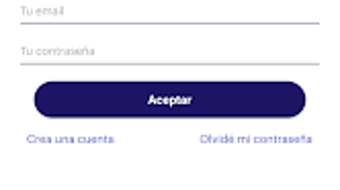
The user interface of Doc2Sign is straightforward and intuitive, designed with a focus on minimizing user friction during the signing process. Navigation is linear and consistent, guiding users through document upload, signature placement, and confirmation. The app’s workflow is efficient, allowing users to complete a signing session in a matter of minutes.
While specific performance metrics such as CPU or RAM usage were not disclosed, the app’s lightweight size of 33.5 MB suggests optimized resource consumption, which is typical for mobile applications with focused functionality. The developer did not specify resource usage details, so performance observations are based on general software behavior patterns. Stability appears to be prioritized, given the app’s emphasis on legal validity and document integrity.
No reports of crashes or bugs were mentioned in the provided information. Overall, the app balances simplicity with reliability, making it accessible to users with varying levels of technical experience. The mobile-first approach ensures that the interface adapts well to different screen sizes and touch inputs, contributing to a smooth user experience.
Compatibility & System Requirements
Doc2Sign is designed for Android operating systems and is compatible with devices running the specified OS version. The app has a file size of 33.5 MB, indicating a compact installation footprint that should fit on most modern Android devices. The developer did not provide additional system requirements, such as minimum RAM, processor specifications, or API level compatibility.
As a result, exact hardware and software prerequisites were not listed. Compatibility information was partially provided, leaving users to rely on general Android device capabilities. The app’s availability on the Google Play Store (implied by the APK format) suggests it meets basic platform standards.
Users are advised to ensure their device meets standard Android requirements for app installation and operation. The developer did not specify whether the app supports older Android versions or requires a specific device configuration.
Pros and Cons
Pros
- Legally recognized digital signatures in Mexico under national codes
- Simple and intuitive interface for quick document signing
- Supports a wide range of document types for business and personal use
- Lightweight app size (33.5 MB) for efficient storage usage
- Free to download and use, enhancing accessibility
Cons
- Compatibility with specific Android versions was not specified
- No information on offline functionality or cloud integration
- Limited to Android platform; no support for iOS or desktop
- Developer did not provide details on data encryption or storage practices
- Exact performance behavior under heavy usage was not disclosed
FAQ Section
Is Doc2Sign legally valid in Mexico?
Yes, Doc2Sign generates digital signatures that comply with the Commercial Code, Federal Tax Code, and Civil Code of Mexico, giving them legal and probative value in official and judicial contexts.
Can I use Doc2Sign on iOS devices?
The app is currently available only for Android. No information was provided about iOS compatibility or future platform expansion.
Is the app free to download?
Yes, Doc2Sign is available at no cost. The price listed is $0.00, making it accessible to a wide range of users.
Does Doc2Sign require an internet connection?
The developer did not specify whether the app requires a continuous internet connection for signing or if it supports offline usage. It is recommended to verify connectivity needs during use.
How often are updates released?
Specific update frequency was not provided. Users are advised to check the app store for the latest version and security patches.
Final Thoughts
Doc2Sign stands out as a reliable and accessible solution for digital document signing within the Mexican market. Its legal compliance with national codes ensures that users can trust the validity of their signed documents, which is essential for business operations and personal transactions. The app’s lightweight design and simple interface make it easy to adopt, even for users with limited technical experience.
While platform limitations and lack of detailed technical specifications are notable, the core functionality is well-executed and purpose-driven. It is particularly beneficial for professionals in fields such as logistics, HR, sales, and finance who frequently handle contracts and receipts. For anyone seeking a secure, mobile-friendly e-signature tool that meets legal standards, Doc2Sign offers a compelling option.
Download Doc2Sign now and streamline your document signing process with confidence.







